
#
Documents
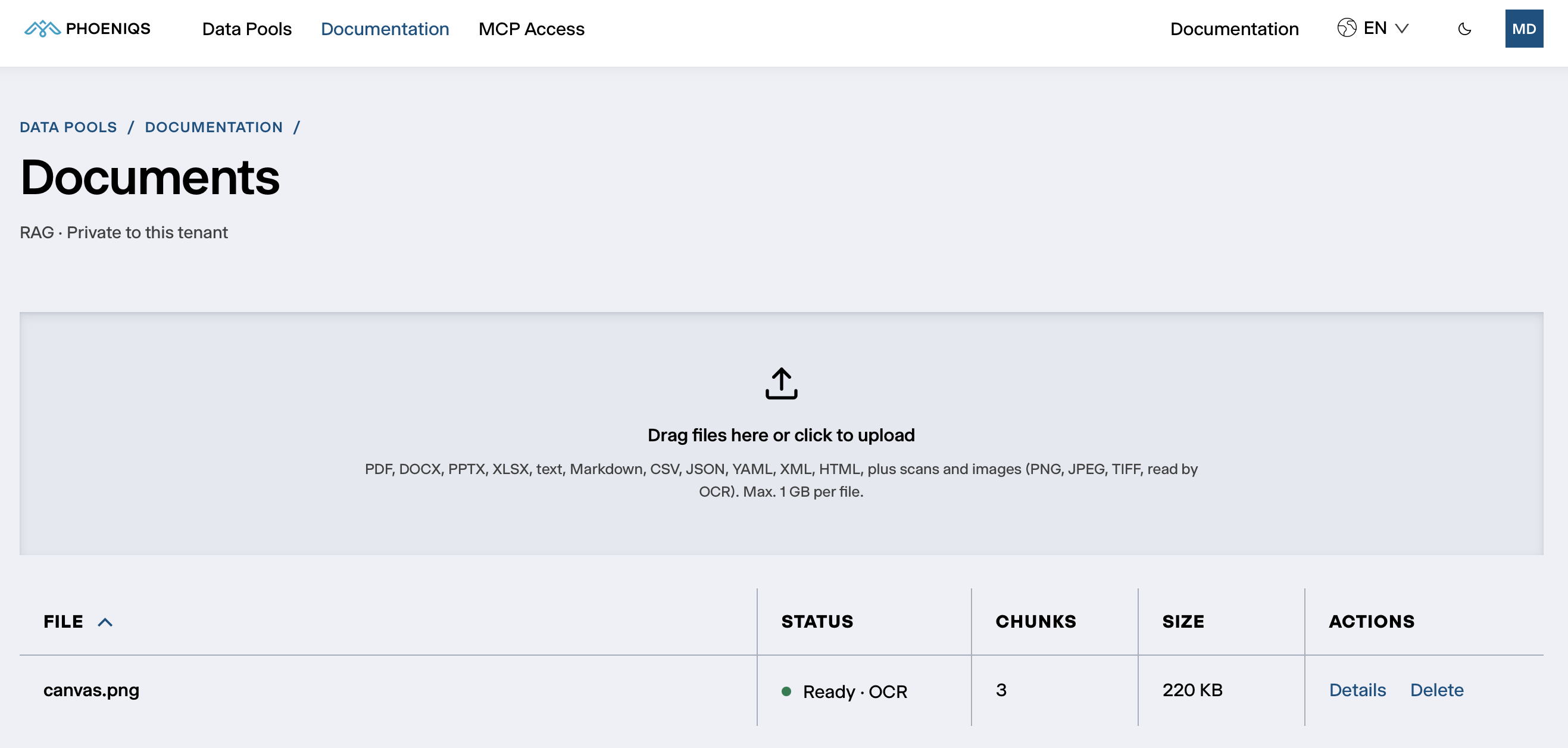
The Documents section of a Knowledge (RAG) or SharePoint pool lists its documents and is where you upload new ones.
#
Uploading
Drag files onto the upload area, or click it to choose them. Several files at once work.
Each file can be up to 1 GB, and uploads count towards your Data Pool's storage. Files are checked by their content, not their name, so a file whose content does not match an accepted type is refused.
In a SharePoint pool there is no upload area: the files come from the SharePoint site. See Pool types.
#
The document list
#
How documents are read
When a document is uploaded, Data Pools:
- Converts it to text. PDF, DOCX and PPTX files are converted by Docling, an open-source document converter. It keeps headings, lists, tables and reading order, and reads scanned pages with its built-in OCR. Spreadsheets keep their sheets and tables. Text, CSV and HTML files are read as they are.
- Describes pictures. Diagrams, photos and screenshots in PDF, DOCX and PPTX files get a short description from an AI vision model, so what they show can be found by search. Small pictures, such as logos, are skipped.
- Reads images. PNG and JPEG files are transcribed by an AI vision model, with a built-in OCR engine as a check that nothing was missed. TIFF files are read by the built-in OCR engine.
- Splits and indexes the text into passages, searchable by meaning and by keyword.
- Describes the document. An AI model writes a description and extracts metadata: the people, organisations, topics, locations and timeframe it covers.
- Updates the pool's summary, the overview of the pool's contents that agents read first.
The first four steps decide when a document is Ready and searchable. The description and metadata follow in the background and never hold up an upload.
If Docling cannot convert a PDF, Data Pools reads it itself. Pages with a text layer are kept as they are, and scanned pages are transcribed by an AI vision model. Invoices, orders and forms with a text layer come out as structure: fields (such as invoice number, date or IBAN), line items and totals, alongside the plain text. Agents can ask for this structure directly.
#
AI models used
All of them run on the PHOENIQS AI Model Service in Switzerland, which does not use your data to train models. Details on a document shows how it was read. When a model changes, the changelog says so.
#
Confidence
Every image or scan that Data Pools reads itself gets a confidence between 0 and 1. Below 0.6, the document is marked low confidence in the list, and agents are told so too. Check those documents: a poor scan, handwriting or an unusual layout can leave gaps in the text.
#
Document details
Details on a document shows:
#
Deleting a document
Delete removes the document, its passages, description and metadata at once, and agents stop finding it immediately. It cannot be undone.
#
Test retrieval
Test retrieval shows what a search of this pool returns, before you rely on it in an agent. It is visible to administrators only. Type a question in plain language and click Search. Each result is a passage, with its chunk number and a relevance score.
If the right passages do not come back:
- Check the document is Ready and not low confidence.
- Phrase the question the way the document does. Searches combine meaning and keywords, so the document's own terms help.